For a WinWinBet login, tap LOG IN in the header, enter your e-mail or account ID and your password, and confirm. The same box has Remember, Forgot your password?, social login icons and Log in with the code. Use only the operator's own site or app, never links shared in chats.
- Log in with e-mail or ID plus password
- Alternatives: social login or Log in with the code
- Reset via Forgot your password? by SMS or email
- SMS delays: check +252 format and wait before retrying
- Never use mirror links or APKs from strangers
On this page
- WinWin Bet Login: Step by Step
- WinWinBet Sign In on the App vs the Browser
- Forgot Password? How to Reset It
- Log In with the Code: What Does It Do?
- SMS Code Not Arriving on a +252 Number?
- WinWinBet Login Problems: Blocked or Suspended Account
- Why Is the WinWinBet Site Not Opening?
- How to Keep Your WinWinBet Login Secure
- Changing Your Phone Number or Email
- Logging In While Travelling
- What to Do After Logging In
- Frequently asked questions
A WinWinBet login should be quick. When it does not, the cause is usually a forgotten password, an SMS code stuck somewhere between the Hormuud tower and your phone, or a bookmark that points to the wrong website.
This page covers each problem in the order Somali users typically hit them.
Please note that WinWinBet Somalia Guide is an independent guide and the login buttons are partner links to the operator. We cannot see or reset your account; only WinWinBet support can. We also remind readers that gambling is restricted under Somali law, you must be 18+, and you are responsible for following the laws that apply to you.
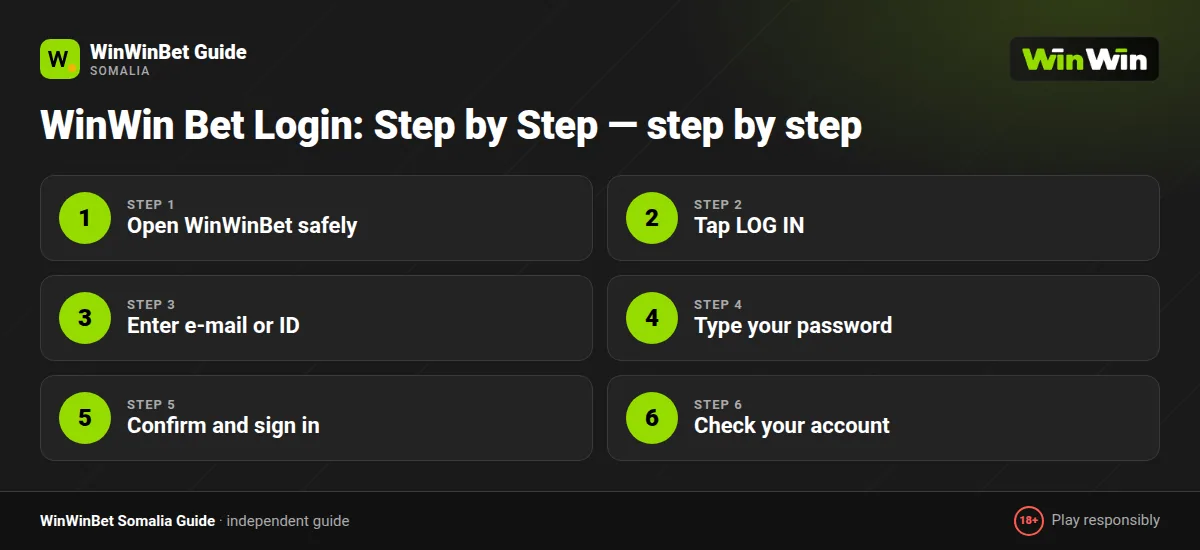
WinWin Bet Login: Step by Step
- Open WinWinBet safely
Open the WinWinBet site through a trusted link or launch the app you installed from the operator's own website.
- Tap LOG IN
Tap LOG IN at the top of the screen to open the login box.
- Enter e-mail or ID
Type your e-mail or your account ID in the first field. If you signed up by phone without an email, use your account ID from your profile, or the Log in with the code option.
- Type your password
Enter your password. Tick Remember only on your own phone.
- Confirm and sign in
Tap LOG IN and complete any extra confirmation the site asks for.
- Check your account
Check that your balance and currency look right. If anything is unfamiliar, change your password straight away.
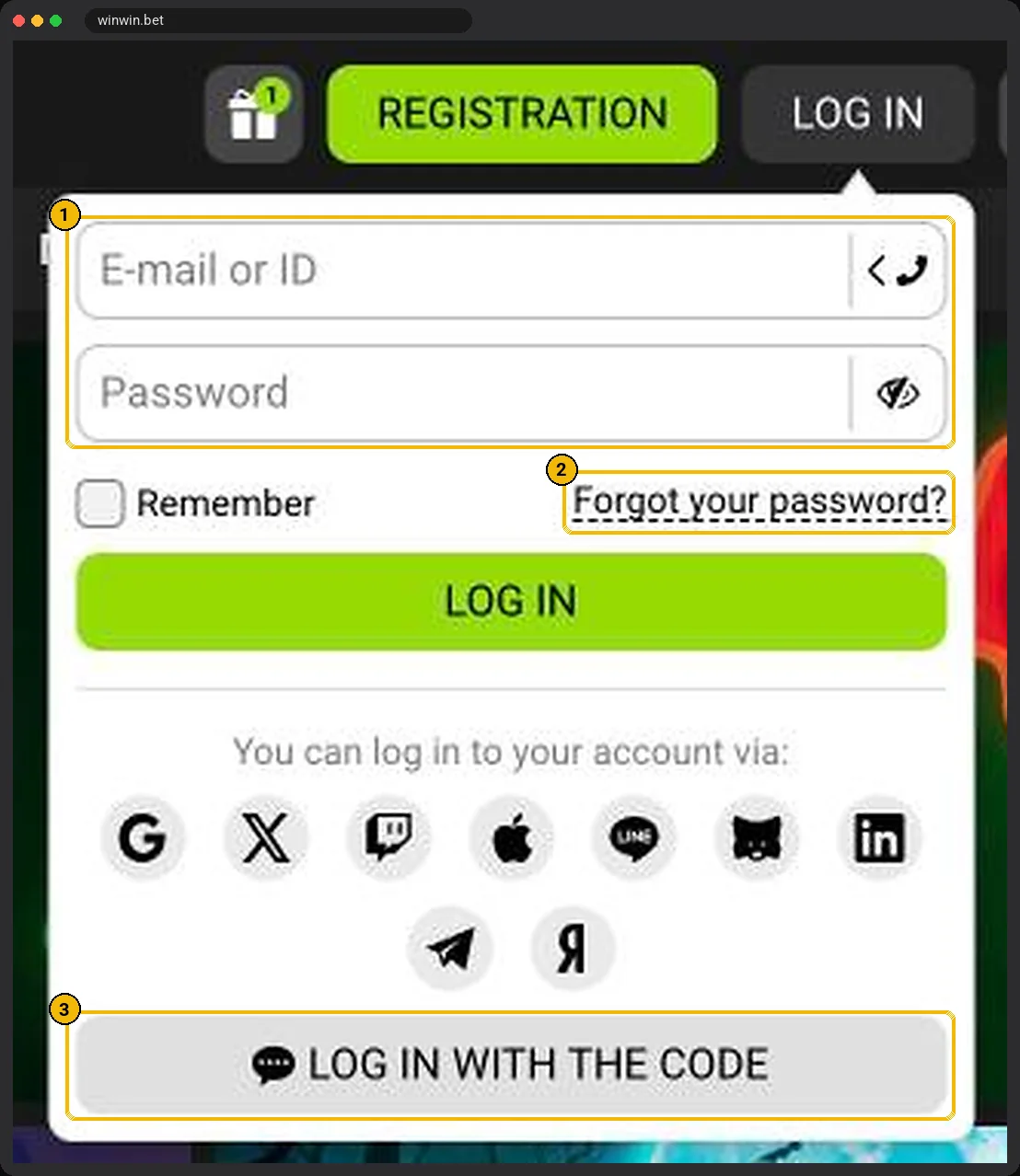
Two alternatives sit under the main form. The social icons let you sign in with the service you used at registration, and Log in with the code is covered in its own section below.
Tick Remember only on your own phone. On a shared device, always log out when you finish.
WinWinBet Sign In on the App vs the Browser
Your account is the same everywhere. The login details that work in Chrome on your phone also work in the app and on a laptop. The differences are practical rather than technical.
| App | Mobile browser | |
|---|---|---|
| Stays logged in | Usually, until you log out | Depends on cookies and private mode |
| Affected by a changed site address | Less, once the app is installed | Your bookmark may need updating |
| Data use | Lower after first launch | Higher, full page loads |
If you often lose your session in the browser, installing the app can solve it. Our WinWin app guide explains how to install the APK safely from the operator's site.
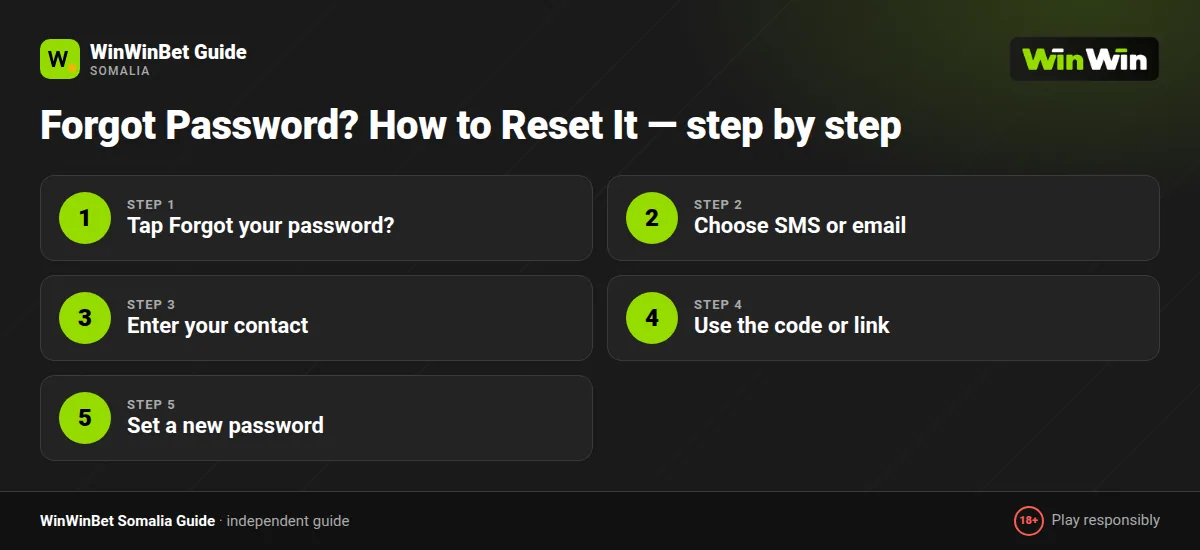
Forgot Password? How to Reset It
It happens to everyone, especially if you registered with one-click and never saved the generated password. Resetting it is straightforward as long as you still have access to the phone number or email on the account.
- Tap Forgot your password?
Tap Forgot your password? under the login form.
- Choose SMS or email
Choose recovery by phone or by email.
- Enter your contact
Enter the number or address linked to the account.
- Use the code or link
Type the code you receive, or tap the link in the email.
- Set a new password
Create a new password that you have not used before and log in.
If you no longer have the SIM or email you registered with, recovery has to go through support. Be ready to confirm your full name, date of birth, account ID, the last deposit amount and the wallet you used. Having verified your ID earlier makes this much faster; see the verification section of our registration guide.
Log In with the Code: What Does It Do?
Under the main form there is a link labelled Log in with the code. As the name suggests, it signs you in with a one-time code instead of your usual password.
Follow the prompts on screen and enter the code only on the operator's own site or app. It is useful when you have forgotten the password but still hold the phone or e-mail linked to the account.
Treat a one-time login code exactly as you would your EVC Plus PIN. Nobody from support needs it, and anyone asking for it is trying to take over your account.
SMS Code Not Arriving on a +252 Number?
This is the single most common login complaint from Somalia. SMS delivery across Somali networks is usually quick, but international verification messages can be delayed, especially in the evening when traffic peaks around big matches.
- Check the number format. It must be +252 followed by your number without the leading zero.
- Wait before retrying. Requesting several codes in a row can trigger a temporary block. Leave a pause between attempts.
- Check signal. Move to an area with a stronger signal, or restart the phone to reconnect to the network.
- Look in blocked messages. Some Android phones filter unknown senders into a spam folder in the Messages app.
- Free up storage. A full inbox on older phones can silently reject new SMS.
- Switch method. If your account has an email, choose email recovery instead.
If none of that works, contact support with your registered number and they can check whether the messages are being sent.
WinWinBet Login Problems: Blocked or Suspended Account
An account can be locked for several reasons, and the fix depends on which one applies.
| Reason | What you see | What to do |
|---|---|---|
| Too many wrong passwords | Temporary lock message | Wait the stated time, then use Forgot password |
| Security check | Request to verify identity | Upload your ID and selfie in the profile section |
| Duplicate account suspected | Account suspended | Contact support; explain honestly if a family member registered on the same device |
| Self-exclusion or limits | Cannot log in or deposit | The block stays until the period you chose ends; this is intended |
| Terms breach | Account closed | Ask support for the specific reason in writing |
When you contact support, write calmly and include your account ID. Screenshots of the error message help. Avoid opening a new account while the old one is under review; it almost always makes things worse.
Many blocks clear once your documents are approved; see the verification guide. For everything else, our customer care guide explains how to reach support quickly.
Why Is the WinWinBet Site Not Opening?
Sometimes the WinWin site does not load. This can be caused by a weak connection, an outdated browser, or the operator changing its web address. You will also see people sharing so-called mirror links in groups and comment sections.
Our advice is simple: use only access routes provided by the operator itself. That means the address shown in the operator's official communications, links sent to your registered email, or the app downloaded from the operator's own site. Unknown mirror links and third-party APKs are the easiest way for scammers to capture your password and your wallet details.
We do not recommend using tools to get around network restrictions. If a site is unavailable where you are, that may reflect local law, and you are responsible for respecting it.
Quick technical checks
- Update Chrome, Opera or your default browser to the latest version.
- Clear the browser cache and cookies for the site.
- Switch between mobile data and Wi-Fi to rule out a local connection issue.
- Check that your phone's date and time are set automatically; a wrong clock breaks secure connections.
How to Keep Your WinWinBet Login Secure
Your betting account holds money and is linked to your mobile wallet, so treat it like your EVC Plus or ZAAD account. Use any extra security options your account settings offer, and keep the phone number and e-mail on the account up to date.
- Use a password you do not use anywhere else.
- Never send login codes to anyone, including callers who say they are from support.
- Check the login history in your profile, if available, for devices you do not recognise.
- Log out of shared or borrowed phones.
- Keep your phone locked with a PIN or fingerprint.
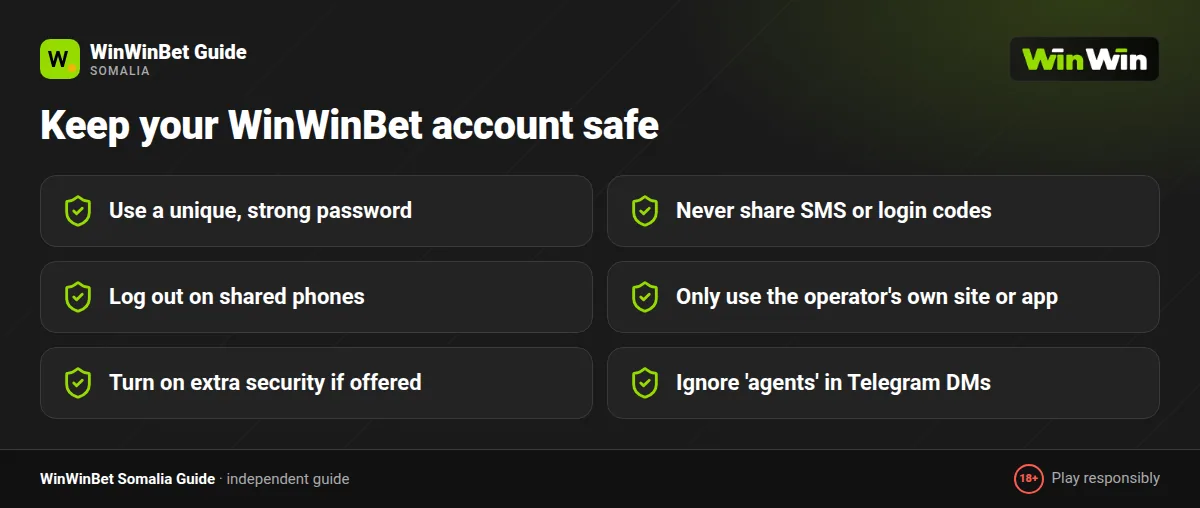
WinWinBet staff will never ask for your password, your wallet PIN or your SMS code. Anyone who does is attempting fraud.
Changing Your Phone Number or Email
Somali users switch SIMs more often than people in many markets, moving between Hormuud, Somtel, Telesom and Golis as they travel or as coverage changes. If the number on your WinWin account is about to stop working, update it before you lose it.
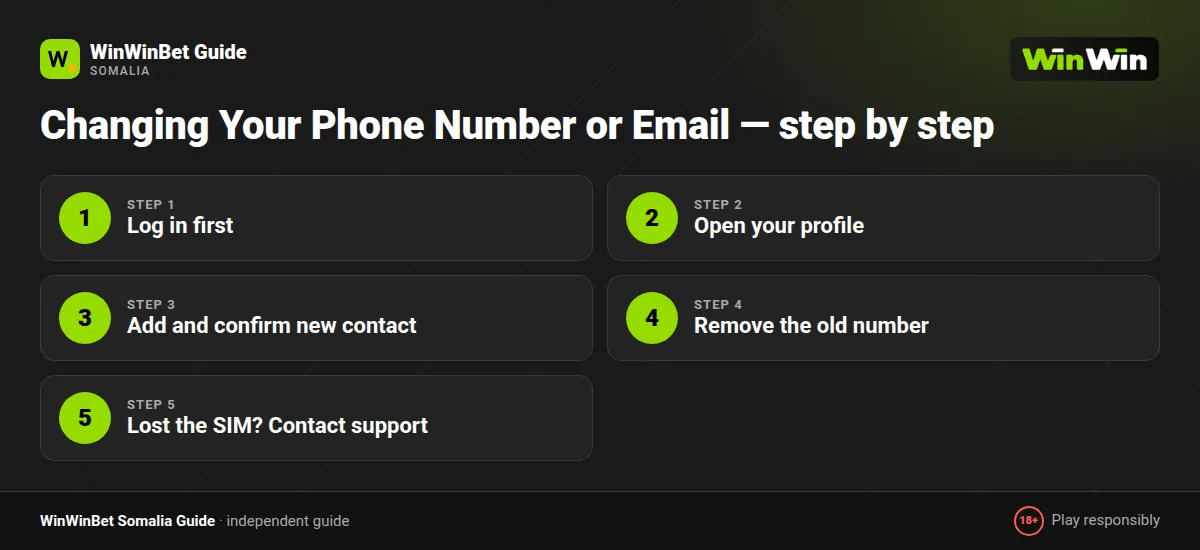
- Log in first
Log in while you still have access to the old number.
- Open your profile
Open your profile or personal details.
- Add and confirm new contact
Add the new number or email and confirm it with the code sent to it.
- Remove the old number
Remove the old number if the option is available.
- Lost the SIM? Contact support
If you have already lost the old SIM, contact support and be ready to verify your identity with your ID.
Remember that your withdrawal wallet should also be in your name. If you change SIM, you may also need to update the wallet you cash out to.
Logging In While Travelling
Diaspora users visiting family in Somalia, or Somali residents travelling to Nairobi, Dubai or Istanbul, sometimes find that logging in from a new country triggers an extra security check. This is normal: the operator sees an unfamiliar location and asks you to confirm it is you.
Keep your registered phone or email with you so you can receive the code. Keep in mind that the laws of the country you are in apply while you are there.
What to Do After Logging In
Once you are in, your next stop is probably the cashier. Our payments guide explains deposits and withdrawals with EVC Plus, ZAAD, Sahal and eDahab.
Planning to bet during a match tonight? Our live betting guide explains how in-play prices behave, and the EVC Plus betting page covers funding the account.
If you are a new player, check whether the welcome offer is still active in the bonus section before your first deposit. And it is worth taking one minute to set a deposit limit; our responsible gambling guide shows where to find it.
Frequently asked questions
How do I complete a WinWinBet login from Somalia?
Tap LOG IN, enter your e-mail or account ID and your password, then confirm. You can also use social login or Log in with the code. The same details work in the app and browser.
I forgot my WinWin password. What now?
Tap Forgot your password? under the login form and choose SMS or email recovery. If you lost access to both, contact support with your account details.
What does Log in with the code mean?
It is an option in the login box that signs you in with a one-time code instead of your password. Enter the code only on the operator's own site or app.
The +252 verification SMS never shows up. What should I check?
Check the number format, leave a pause between requests, look in your spam SMS folder and make sure you have signal. Email recovery is an alternative.
Can I log in with the same account on the app and website?
Yes. One account works on every device, with the same balance and bet history.
Are mirror links safe?
Only use addresses provided by the operator itself. Mirror links and APKs shared by strangers are a common way to steal accounts.
My account is blocked. How do I unblock it?
Find out the reason first. Temporary locks expire on their own, verification locks clear after uploading ID, and self-exclusion lasts for the period you chose. For anything else, contact live chat on the site and the Contacts page.